Free tools / product-schema-generator
Free tool — generator
Product Schema Generator
Describe one product the way a machine reads it: the name, the pictures, the identifiers, the price. One block of text to paste into that product’s page.
free runs in your browser
Your product
0 fields filled
Example data the grey text in each box below is an example — type your own, and anything left empty is left out of the block
product-schema.json
valid ✓What we checked
Runs entirely in your browser. Nothing you type leaves this page. (checkable — open your network tab)
Why this tool exists
A product page is where invented facts get published
how much is the northwind cold brew kit?
The Northwind Cold Brew Kit is around £60 and looks to be out of stock at the moment.
Most of what goes in this block is something your page already states out loud: the name, the picture, the code on the box, the price. Writing it down in a fixed shape removes the guessing — the number stops being something a reader has to infer from a layout and becomes something stated, in one place, in a form that does not vary by design.
The risk on this particular block is not that it is hard. It is that the format has boxes for things you may not actually have, and a form is very good at making an empty box feel like a question you are supposed to answer. A currency filled in by default. An availability set to in stock because that is the common case. A rating typed in because the box was there. Every one of those gets published on your own site and read as a fact you asserted about yourself.
So this form fills nothing in. A box you leave empty produces no line in the output — not a blank, not a placeholder, not a sensible default. And two boxes that every other generator offers are simply absent here, which is the next section.
Box by box
What to fill in, what to leave alone
These are the boxes on the form. Two of them decide whether the block is worth anything, and one of them is not on the form at all.
01
Name
Exactly what the product is called on the page. Not the name plus three keywords, and not a shortened version that no longer matches the heading a reader sees.
02
Product page address
The page this block is going into. It also becomes the name the block gives itself, so anything else added to that page later can point at this one instead of repeating it.
03
Pictures
Full addresses of real image files that anybody can open. Several is better than one, and one that opens beats five that need a login.
04
Brand and category
Who makes it, and what kind of thing it is. Cheap to fill in, and they are what put the product in the right neighbourhood rather than beside something unrelated.
05
SKU, MPN, GTIN
At least one, and the GTIN is worth the most: it is issued outside your company, so it can be checked against the outside world. A SKU is yours alone and proves nothing to anyone else.
06
Price and currency
Both or neither. A number with no currency is not a price, and there is no default here — guessing the currency from the language of the page is exactly the kind of help that publishes a wrong figure.
07
Availability
The line that goes stale fastest, so it starts unset. State it only if something will keep it true — a block saying in stock about a sold-out product is worse than one that says nothing.
08
The rating boxes
Not on this form. A rating here claims real reviews exist on that page; mark those up from the reviews, or leave the claim out. This is the box that turns a description into an assertion nobody made.
- namefrom the heading on the page
- imagea file at an address anyone can open
- skuthe code already printed on the box
- pricethe number shown to a customer, plus its currency
What you get
One block of text, and where it goes
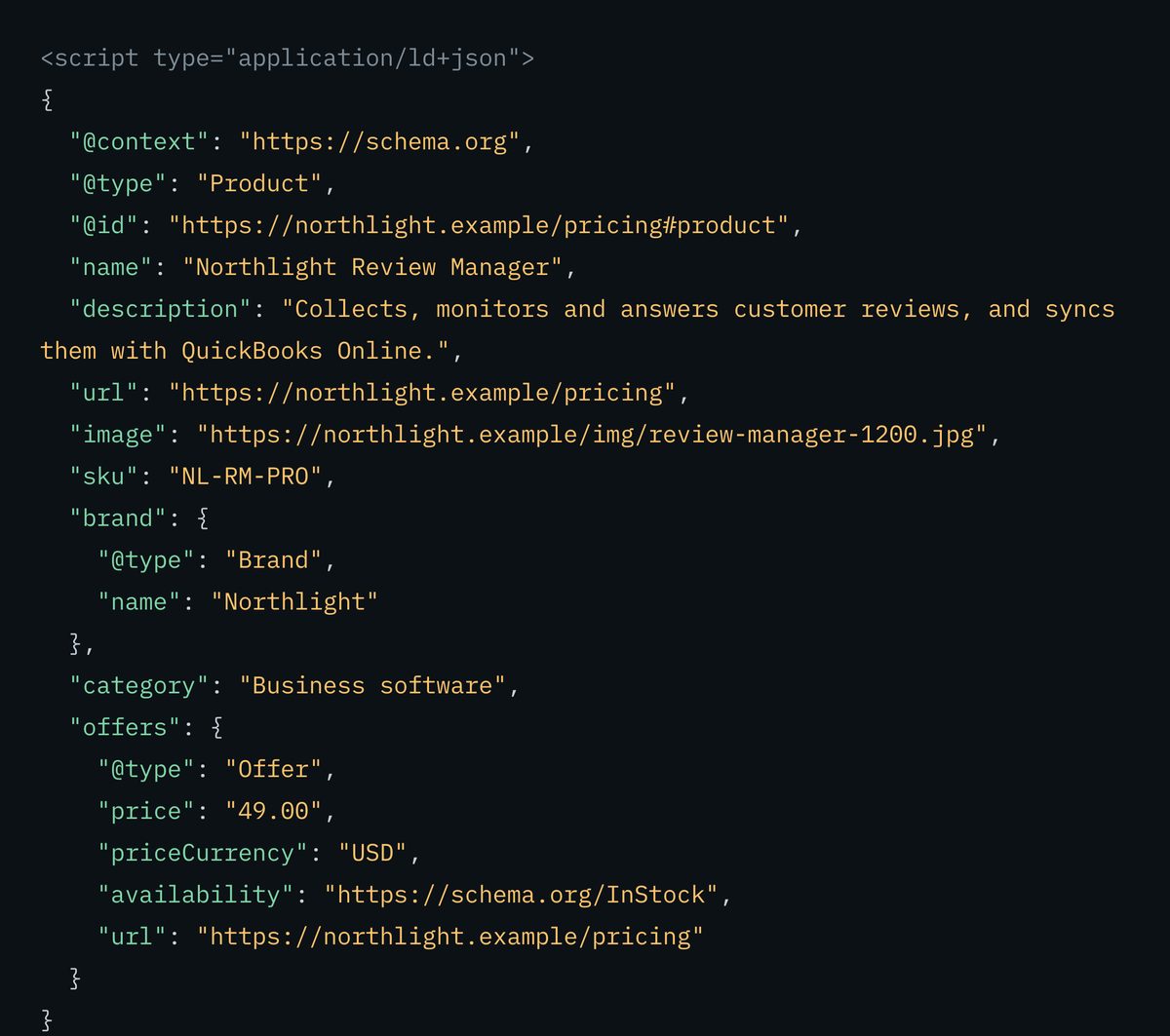
This is the real output for the sample the form opens with — the same text the copy button puts on your clipboard.
<script type="application/ld+json">
{
  "@context": "https://schema.org",
  "@type": "Product",
  "@id": "https://northwindroasters.example/shop/cold-brew-kit#product",
  "name": "Northwind Cold Brew Kit",
  "url": "https://northwindroasters.example/shop/cold-brew-kit",
  "image": "https://northwindroasters.example/img/cold-brew-kit-1200.jpg",
  "sku": "NW-CB-01",
  "brand": {
    "@type": "Brand",
    "name": "Northwind Coffee Roasters"
  },
  "offers": {
    "@type": "Offer",
    "price": "48.00",
    "priceCurrency": "GBP",
    "availability": "https://schema.org/InStock"
  }
}
</script>
Note what is not there: no condition, no valid-until date, no offer address, no description, no rating. Those boxes were left empty in the sample, so they produce no lines at all.
- Paste it into that product’s page, and only that one. One product, one page, one block — a category page listing twelve products is a list, not twelve products.
- Point at it rather than repeating it. The block carries a name built from the page address, so anything added to that page later should refer back to this one instead of copying it.
- Generate it again whenever the price, the availability or the pictures change. A price that was true in March is a wrong fact in September, stated in your own markup.
There is no step where you wait for anything. The text is finished the moment you have typed your details in, and it takes effect as soon as the page carrying it is live.
What this checks, and what it cannot
The honest limits of a tool
that never leaves your tab
Every rule the validate button runs is listed below. The line that matters most is the last one: nothing on this page fetches anything, so it can tell you an address is written properly and never that the picture at the other end exists.
What we checked
- PASSa name is present, and the product page address is a complete web address
- PASSthe output parses as valid JSON
- PASSthe output survives being pasted inside a script block — text you type cannot close it early and spill onto your page
- WARNHTML tags in any value — written safely, so they cannot break the page you paste this into, but these boxes take plain words
- FAILan image address that is not a complete web address
- WARNno picture listed, the same address listed twice, or one that does not end in an image file type
- FAILa price with no currency, or a currency with no price
- FAILa price that is not a plain number, or a valid-until date not written as YYYY-MM-DD
- WARNa currency that is not a three-letter code, or a valid-until date that has already passed
- WARNno SKU, MPN or GTIN — nothing in the block tells this product apart from a similarly named one
- WARNa GTIN that is not 8, 12, 13 or 14 digits
- WARNno description
- NOTEthere are no rating or review boxes on this form, so there is nothing of that kind to check — the absence is the point, not an oversight
- NOTEstructure only — nothing here is fetched, so it cannot confirm a picture opens, that a price is current, or that any of this matches what is on the page
The rule that decides whether this helps or hurts
This block describes what is actually on that page. A price here that differs from the price a customer reads, an availability that stopped being true in the spring, a picture that is not the product — each one is a contradiction between what you say to a machine and what you show a person, and it is the kind of mismatch that costs you trust across the whole site rather than on one page. The rule is one source of truth: the page states it, the block repeats it, and when the page changes the block is generated again.
Limitations, stated plainly
This tool checks that the block is put together correctly, not that it is true. It cannot open your page, so it cannot confirm the price matches, that the pictures load, or that the product still exists — nothing on this page fetches anything at all. It handles one product at a time; questions and answers, your business details and articles have their own generators, linked below. And no block of this kind, from any tool, makes an assistant recommend your product. It makes the facts about it unambiguous, which is a smaller and different thing.
Fair questions
Short answers.
We use our own tool on this page.
Why are there no star-rating or review boxes on this form?
Because a rating box is an invitation to type a number nobody gave you. A rating in this block asserts that real reviews exist on that page, and that assertion is published on your own site under your own name. If you have real reviews, mark them up from the reviews themselves — the text, the reviewer, the date. If you do not, the honest block is the one without a rating in it, and that is the only block this tool will write.
What happens to a box I leave empty?
It is left out of the output entirely. There is no default currency, no assumed availability, no filled-in date — an empty box produces no line rather than a blank or a plausible-looking guess. A guessed value would be published on your own site and read as a fact you asserted, which is a worse outcome than the field being missing.
Do I need a SKU, an MPN or a GTIN?
Not to produce a valid block, but at least one of them is what separates your product from a similarly named one somewhere else. A GTIN is the strongest of the three because it is issued outside your company and can be checked against the outside world. A SKU is yours alone, which makes it useful to you and weak as proof to anyone else.
How many products go in one block?
One, on that product’s own page. A category page listing twelve products is a list, and marking it up as twelve individual products describes something the page is not. Generate this once per product page, and generate it again when the price or the availability changes.
Where does my data go when I use this?
Nowhere. Everything happens inside your own browser tab — what you type is never sent to a server, and nothing is stored. That is checkable: open your browser’s network panel while you use it.
The block describes a page
So the page had better
be there without JavaScript.
A Product block is a description of something. If the thing it describes only appears once your storefront’s JavaScript has run, a crawler that does not run JavaScript gets the description and nothing to match it against. Render Check fetches your product page from our server with scripts off and reports the status, the title, the first heading and how many words are genuinely there.
See my page with scripts off Check itfree · no card
Organization Schema Generator
The block above this one — which business the whole site belongs to.
FAQ Schema Generator
Set out the answers you want quoted accurately, question by question.
Render Check
Your product page with scripts off — the status, title, heading and word count a non-rendering crawler gets.